Diberdayakan oleh Blogger.
Tampilkan postingan dengan label what’s. Tampilkan semua postingan

Rabu, 23 April 2014

Microsoft Rolls Out The April Xbox One Update — Here’s What’s Inside

xb1 copy

Do you have an Xbox One? It’s update time! Get excited! Well, not too excited. Moderately excited.

Like the last few monthly updates, this month’s patch is mostly meant to bring in features that aren’t so much oh-my-god-brand-new as they are things that were surprisingly absent after the jump from Xbox 360 to Xbox One.

The new update should start hitting Xbox Ones this evening.

The things you’ll probably directly notice:

  • Games are now able to show a progress bar when a game is saving, rather than just a spinning icon.
  • You’ll now see alerts when an Xbox Live friend signs in. Microsoft says this was “one of the most requested features” — which makes sense, as it’s… kind of crazy that it wasn’t there to begin with
  • They’ve tweaked the GameDVR algorithm (the system that records the last few seconds of gameplay when you say “Xbox, record that!”) for better video quality.

The less obvious (behind-the-scenes) stuff:

  • Kinect’s voice/motion algorithms have been improved, with the main enhancement being a lower false-positive rate for “non-hand objects” triggering the sensor. If you’ve ever been laying on the couch and had the Kinect start tracking your foot, this is what they’re talking about
  • Blu-ray player hardware can now support 50 Hz video content, though the Blu-ray player app still won’t support it for a few days.
  • Improved controller/wireless headset connectivity
  • The Xbox One can now power cycle itself automatically after an overnight/standby update; previously, you’d have to manually reset the Xbox One if it updated while in standby mode.

Alas, still no sign of HBO GO.

Selasa, 22 April 2014

Use the “Three Whats” Technique to Structure Your Presentations

Use the “Three Whats” Technique to Structure Your PresentationsS

People retain structured information 40 percent more reliably than random information, writes Matt Abrahams in Inc., who also suggests a structure for your presentations: What? So What? Now What?

My favorite structure is What?-So What?-Now What?, which can help you not only in planned presentations but also in spontaneous speaking situations such as job interviews. When using this structure, you start with your central claim ("I am qualified for this position because of my experience") and then explain its significance ("This experience means I can start contributing to your firm immediately") before concluding with a call to action ("When can I start?").

The advice is meant to act as a guideline, but there's no harm in memorizing your script either, just don't write it down. Abrahams also advises practising the speech out loud, so that you are comfortable speaking in public.

2 Secrets Of Memorable Presentations | Inc.

Photo by 3V Photo.


View the Original article

Jumat, 18 April 2014

What's The Best Personal Finance Tool?

What's The Best Personal Finance Tool?S

Managing your money and staying on top of your finances is important. This week, we want to know which apps and services you use to keep track of your accounts, see where your money is going, and keep an eye on your financial health.

It's been a while since we asked you this question, and back then we split it up into desktop and mobile personal finance tools. Since most tools now have mobile apps that work with them, it may not make sense to break them up anymore, but we're still curious—what with all the new, improved apps that do the job—which ones you prefer. Leave your vote in the discussions below!

Let's hear your vote in the discussions below! To cast your vote, follow these guidelines:

  1. Follow this format for your vote, including the bold print. If you don't, it won't be counted:

    A PHOTO OR SCREENSHOT OF THE BEST PERSONAL FINANCE TOOL

    Vote: [BEST PERSONAL FINANCE TOOL]

    Why: Why is this app the one you trust with your money? Maybe it's available on all of your devices, or you can log in and check multiple accounts with it. Maybe it has other tools, like budgeting tools and savings planners. Make your case! Try to keep it to a single paragraph, maybe two.

  2. Don't duplicate nominations! Instead, if someone's nominated your pick, star (recommend) it to give it a boost, and reply with your story instead.
  3. Please don't leave non-entry, direct comments on this post. They'll just get pushed down. Save your stories for others' submissions!

If you're not sure what we mean, just check out the nominations by our writers below. We'll give you a head start, and they should all be in the proper format, so you can just follow our lead.

The Hive Five is our weekly series where you vote on your favorite apps and tools for any given job. Have a suggestion for a topic? Send us an email at tips+hivefive@lifehacker.com!

Photo by Keith Cooper.

View the Original article

What's the Deal with All These Messaging Apps?

What's the Deal with All These Messaging Apps?S

Dear Lifehacker,
I've been hearing a ton about different messaging apps these days, but I don't understand why I should care. One search shows WhatsApp, Viber, iMessages, Snapchat, Kik, Facebook Messenger, and dozens more. I already have text messaging. Why do I need these other apps?

Sincerely,
What's App

Dear WA,
It seems like every day we're reading about a new messaging app. It's pretty difficult to tell the difference between them, but they can be useful for specific situations. Let's start by focusing in on what exactly the appeal of messaging apps is, then move on to picking the right one for your uses.

The Appeal of Messaging Apps

What's the Deal with All These Messaging Apps?

A messaging app is a pretty straightforward concept: they replace text messaging, which works okay, but frankly isn't all that great. Messaging apps aren't just for teens, ne'er-do-wells, and sexting. They're especially useful for anyone who doesn't want to pay for texting (or is communicating across country borders).

Chances are, if you have a smartphone, you've already encountered a messaging app. If you're on Android, Google Hangouts is the default for messaging with other Android (and Google) users. If you're on the iPhone, the Messages app has texting and iMessage (non-SMS messages between iOS devices) built-in. If you want a simple way to communicate with people between different devices, third-party messaging client make things easy. That's where apps like WhatsApp or Snapchat comes in.

The appeal of these apps depends on the user. For some, it's a way to get around SMS fees. This is especially the case if you're communicating (or just travelling) internationally. For others, it's a way to keep conversations private. Other apps let you set your status to tell friends you're busy. All these make SMS more interesting by adding features, but which features you want depends on your needs.

For Replacing Text Messaging: WhatsApp

What's the Deal with All These Messaging Apps?

The popularity of messaging apps changes depending on the country, but WhatsApp is one of the most popular in the world. WhatsApp's pitch is pretty simple: it looks like any old text messaging app, but you can create group chats, send photos, videos, voice messages, and share your location using your data plan and not your SMS plan. What's also nice is that WhatsApp is available on iOS, Android,BlackBerry, Nokia S40, Symbian, and Windows Phone, so all your friends can use it.

From just a feature stance, WhatsApp has pretty much everything you'll ever need in a messaging client and more. It saves history, holds messages when you're offline, allows for custom notification sounds, lets you set your availability, and more. It also integrates with your phone number, so you don't need to worry about setting up a new account on a service you don't want to use.

WhatsApp is popular for international messaging since you can do it over Wi-Fi without fees. It's also handy when you have a group of friends who don't use the same devices. As any Android user can attest, getting looped into an iMessage group message by a bunch of iPhone users is one of the most obnoxious things that can happen. WhatsApp makes sure everyone is on the same page. There's no shortage of messaging apps out there, but WhatsApp has the benefit of being both popular (so its easier to get your friends to use it), and being feature-packed so everyone's happy with the experience.

That said, if the recent Facebook acquisition of WhatsApp troubles you, you have a ton of alternatives to choose from. They all work essentially the same, except for a few features here and there. Chances are you'll be fine with whichever alternative you and your friends choose.

Alternatives: Viber, Line, Facebook Messenger, Kakao, Kik Messenger, Google Hangouts

For the Picture Lovers: Snapchat

Snapchat's main pitch is pretty simple: you can send self-destructing pictures and videos to each other. It's no secret that Snapchat is often associated with sexting. While we don't recommend using it to sext (if it can be seen, it can be copied), it's actually become popular with the non-sexting crowd too.

From a purely theoretical standpoint, Snapchat is just a good way to send pictures to a friend. Things like, "how's this tie look?" or "look at this crazy squirrel eating oatmeal on the freeway," are just as viable as "here I am in my underwear." After all, not every single picture message you send someone needs to be saved forever.

Snapchat sticks to its guns and doesn't do much more than pictures and video. That said, despite the fact that it's not a secure way to sext, it is a good way to send pictures you don't want cluttering up your storage space.

Alternatives: Instagram Direct, Clipchat

For Local Chat: FireChat

What's the Deal with All These Messaging Apps?

FireChat is one of the more interesting messaging apps currently available because it uses a completely different kind of technology than the rest. Basically, FireChat lets you chat anonymously with local users over Wi-Fi or Bluetooth. You need to be within about 100 yards of each other and on the same local Wi-Fi network for it to work. Users can chain together to create a larger network if they're all in the same area. It's conceptually like peer-to-peer sharing. The tech's a little complicated, but you can read more about how it works here.

FireChat doesn't need an internet connection, but it does require that you're close to each other. It's also pretty simple, you can send text messages and pictures, but that's about it. If you want to anonymously chat in a place that doesn't have a strong internet connection or a local area like a dorm, trade show, or sports game, FireChat makes it incredibly easy to do so.

The FireChat network is as big as the people using it, so it could be helpful during disasters where cell service is down.

Alternatives: None (yet)

For the Productivity Geek: Emu

Emu is an iOS (Android coming soon) messaging app built for productivity geeks. On the surface, it's a pretty straightforward messaging app. On top of that it also includes ways to schedule your day, share your location, and has an internal reminders system.

Emu works somewhat like a "WhatsApp for grown-ups." It has a lot of the same features (location sharing, voice messages, texting), but adds in organization functions. For example, you can snooze messages for later and remind yourself to reply when you have the time. Emu also integrates with a calendar so you can book appointments right in the app. You can even book a table through OpenTable or grab movie showtimes.

Since Emu is iPhone-only at the moment, it's a little difficult for everyone to use it, but the productivity integration makes it more useful for people who are trying to get business done through a messaging app.

Alternatives: Glassboard

For the Security Minded: Surespot

With all the NSA spying going on, a lot of people are looking for a more secure way to communicate. You probably can't keep your messages out of the NSA's hands just by using another app, but you can keep your messages out of the hands of hackers. If you're looking for a more secure, encrypted way to communicate, we like Surespot.

Surespot checks all the security boxes that it can while still being user-friendly and functional on a mobile device. It's not associated with your phone number or email, it allows for multiple identities, it's open source, and it includes 256 bit AES-GCM encryption. Basically, all that means you can create an anonymous profile and chat with people securely without too much hassle. As with anything, if someone really wanted to get into your messages, they could, but Surespot makes it pretty tough.

Other than encryption, Surespot's a pretty simple messaging app. You can send pictures, text, and audio in chats. You can also set how long an image or video is visible for, or revoke access to an image if you choose. They can always take a screenshot of course, but it's better than nothing.

Alternatives: ChatSecure, Cryptocat (iOS), Wickr

For People Interested in Dating: Tinder

Tinder is a dating app that searches for people near you and connects you to them if you're both interested. You create a profile, then Tinder scans your local area looking for people with similar tastes. When you find someone you like, you mark their profile. If they like you back, you can start chatting and meet in person. Think of it like a high-tech version of passing a "Do You like me? Check this box" note in grade school.

Tinder is often billed as a "hookup" app, and that may be how its used most often, but the core of the service is technically about messaging. You send out your picture into the world, then if you somehow manage to find someone you like and who also likes you, you can chat. Once you're in the actual messaging part, Tinder doesn't go beyond sending basic text.

Tinder, and other apps like it, are essentially messaging apps, but their main goal is to connect you with people in real life. If that's your thing, Tinder's the most popular solution.

Alternatives: Let's Date, Grouper, Hinge, Grindr

The One Big Downside of Alternative Messaging Apps

Now, you've probably realized that there's one big problem with these apps: like a social network, each app is only as useful as the people using it. None of these apps can communicate outside of the app or between different apps. So if you want to use WhatsApp but none of your friends are using it...you can't really do much with it. You pretty much have to go with what your friends use (except for Tinder, maybe, unless you like awkward glances).

Text messaging is still the most universal way to message back and forth, which is probably why you haven't felt the need to pick one of these up. Still, if your friends use one of them, that app might be worth picking up.

Messaging apps aren't for everyone, and if you're not an avid texter, your friends aren't using any of these services, or you're not worried about text messaging fees, none of the messaging apps are really useful. But if any of those things do spark your interest, they're worth investing a little time in to pick one you like.

Sincerely,
Lifehacker

Photo by: Danny Choo.

RelatedRelatedRelatedRelatedRelated


View the Original article

Kamis, 17 April 2014

What's up with Oppo and OnePlus outgunning Samsung, Sony, HTC?

Kris Carlon

Kris Carlon

Putting down roots in Berlin after six years of traveling is a major step for Kris Carlon, who has spent more time living out of a tent lately than sitting at a desk. Kris comes to the AndroidPIT Editorial Team via a lengthy period spent writing on art and culture in Australia and other places he has lived. He joined the Android community while resurfacing in civilization back in 2010 and has never looked back, using technology to replace his actual presence in other people's lives ever since.

With the news this morning that the OnePlus One will ship with a quad-core Snapdragon 801 chipset clocked at 2.5 GHz with 3 GB of RAM, putting it on a par with the recently released Oppo Find 7, it got me wondering how the two best-specced smartphones around have better specs than the flagships released by the major manufacturers?

oppo find7 headerpictureIt may be the dawn of a new day for high-end, low-cost Chinese Androids. / © Oppo

Sure, Oppo is based in China and clearly has good local connections that gets them some sweet deals on hardware, and OnePlus was started by ex-Oppo employees, so it makes sense that they can wrangle the same kind of special treatment when it comes to getting good deals from component manufacturers. But how can they get deals good enough to make up for the tiny fraction of supply that they'd be ordering when compared to massive corporations like Samsung and Sony?

oppo find7 1The Oppo Find 7 looks minimal and slick with amazing specs and a low price tag. / © Oppo

Both companies are tiny when compared to OEMs like Samsung, Sony and HTC and can't have anywhere near their bargaining power or volume discounts. So how is it that they manage to cram in the best hardware into their Android devices and offer them at such cheap prices when a Galaxy S5, HTC One M8 or Xperia Z2 will cost you at least 200 USD more? The answer is simple: these guys need to make very little profit in order to drag you away from the major OEMs. If you think there's only a 100 USD profit margin on a 650 USD phone you're mistaken.

oneplus one skatchWe still don't know what the OnePlus One will look like, but specs-wise it'll be great. / © OnePlus, AndroidPIT

We've already seen the Nexus line shake up the pricing structure by offering top-end specs in what amounts to half-price flagship, and the success of the Moto G showed there is a huge market for rock-solid Android devices at lower prices, even without top of the line specs. What Oppo and OnePlus are doing is taking a hit on the bottom line like Google does with Nexus, in order to capture your attention. The other major OEMs are basically just being greedy, playing it safe with hardware upgrades and loading up as much of a profit as possible on their devices with lower specs than these two new arrivals. If the major players underwhelm and the underdogs deliver, and at lower prices, it certainly makes for a welcome wind change. Part of Oppo and OnePlus' success will be attributable to the major OEMs leaving the door open for them with this year's flagship offerings.

S5 Z2 G3 M8 Find 7With relatively minor incremental improvement s to most flagships so far, the door has been left open for ''new kids'' like Oppo, OnePlus and even Xiaomi. / © AndroidPIT/Sony/Samsung/Oppo/HTC/LG

The question becomes: will consumers ''risk'' departing from the tried and true to try out a relatively untested newcomer? If the better specs aren't enough to do the trick on their own, surely the price differential is enough to drag you away? That seems to be the logic, and it's pretty good logic for consumers. If Oppo and OnePlus succeed, and I truly hope they do, then we may eventually see a shift from the big manufacturers to lower the astronomical costs of their flagship devices to be more competitive. 

xiaomi mi3 2With seriously cheap prices and high-end specs, Chinese OEMs like Xiaomi look increasingly good. / © AndroidPIT

The specs race may well be leveling out and the next thing on the horizon is not – or shouldn't be – 3 GHz processors and octa-core standards with 5 GB of RAM. This seems like terrible overkill until some OS issues and app limitations can be overcome. Instead, the next frontier for OEMs to tackle will be better cameras and batteries. With increasing display resolutions, larger screens and more processor-hungry graphics demands there's still a lot to be done in terms of software optimizations, always-on voice controls to limit screen-on time and better battery management from apps and background processes. But battery technology and camera hardware are essential to get right and soon. In the meantime we at least have some very exciting Androids coming our way.

Are you considering an Oppo or OnePlus device this year? How do you think they manage to offer such good specs at such low prices?


View the Original article

Senin, 14 April 2014

What’s your take on the Amazon Fire TV? Should Google be worried?

This Friday Debate, we discuss the Fire TV. Amazon introduced their long rumored set-top-box this week, and it looks pretty impressive. The nominally Android-powered Fire TV comes with a Snapdragon 600, 2GB of RAM, and a price tag that matches that of established players like Apple TV and Roku. At $99, it’s three times more expensive than Google, but then again, it does more things. It’s a gaming console too, a sort of Ouya meets Roku with a dash of Amazon.

The Chromecast is doing well in sales, but Google is rumored to up the ante with a full-fledged set-top-box with gaming capabilities coming this summer. Has Amazon gained the upper hand by releasing its Fire TV first? Will Jeff Bezos’ company threaten Google’s plans? Is the Chromecast still a good deal now that the Fire TV is out? What can Google do to one up its competitors?

Join us in the comments and answer our poll!

Joe Hindy

To answer the question outright, yes this device poses a major threat to Google and to Apple. Amazon has a long history of doing things right and they are responsible for pretty much most of the AOSP (non Google Android) market share. The set top box is a little bit of a niche product but it’s only a matter of time before it becomes a more mainstream kind of thing and I believe the Fire TV is a step in that direction.

In terms of which one is a better deal, that really depends on your usage. With a Chromecast, your computer is still your central hub of media and you simply use the Chromecast to move your media from your PC to your TV. With the Fire TV, it becomes your content manager. So there is no doubt in my mind that people who fall into the category of using a computer as a content management platform will call the Chromecast the better bargain while people who want their content managed by an independent device will call the Fire TV the better choice.

In my mind’s eye the real battle isn’t between Fire TV and the Chromecast, but rather between Fire TV, Apple TV, and the Roku. Chromecast is meant to augment a home theater set up, not really become the focal point of it. Full featured set top boxes are meant to run home theater set ups and so I believe it to be a different market. The few people I’ve spoken to agree that if you’re looking at just video streaming, then there is no real difference between the Fire TV and the Roku as they both stream pretty much the same stuff. They also cost about the same. Pretty much everyone I’ve spoken to agrees that Apple TV is third place in this race but, admittedly, the people I talk to are a tad biased when it comes to Apple products sometimes.

Where the Fire TV has a real chance to shine is as a gaming platform. Streaming media can be a done a thousand (hyperbole) different ways so when you look at that market there is an undeniable parity. You can only stream videos so well, you know? Once you hit the plateau, you’re really just catching up to the competition and not really overtaking it.

As a gaming platform, Fire TV suddenly has a huge advantage over the competition. Roku, Apple TV, and Chromecast don’t really play video games and to get the same set up without a Fire TV you’d pretty much have to buy an Ouya and a Roku. Given Amazon’s recent moves into the video game business with their recent acquisition of Double Helix (developers of Killer Instinct), it appears as though they may use Fire TV as both a full-featured video streaming set top box and a full-featured video game console. If that’s the case, the Fire TV has the potential to be the undisputed champion of this form factor.

As always, time will tell but Amazon has been making a lot of moves this year and I would be very surprised if the launch of Fire TV was the only thing they did in this category this year.

Andrew Grush

Up until now, I’ve largely avoided the growing trend of using set-top streaming boxes or dongles like the Chromecast.

The reason for this is two-fold: first, (I live in the past apparently) I still have a home theater PC is my living room. Second, the rest of the rooms have some form of game console hooked up for things like Netflix and Hulu, such as the PS3 in my room or the Wii in our kids’ room.

That said, I’ve actually been quite impressed by some of the (reasonably) newer streaming solutions coming to the market such as the Chromecast and now the Fire TV.

As someone who still uses his PC as the center of his entertainment experience, I’m inclined to agree with Hindy that the Chromecast is really the better complimentary type of device. Still, the Fire TV’s voice control, sleek UI, speedy loading and the ability to game are all things that have caught my eye.

Ultimately, yes, I do believe that the Fire TV could pose a threat to the Chromecast and existing devices like the Apple TV and Roku — for now. If gaming and some of Fire TV’s other aspects prove popular, you can bet that next-gen steamers from Apple, Roku and Google will add these features while bringing their own unique ideas to the mix.

Bottom-line, the Fire TV will do very well among fans of Amazon’s services and could become a solid option for those looking for a casual gaming device as well. As to which is a better of deal, it basically comes down to what you’re looking for.

At $35, the Chromecast is still the best value, and the arrival of the Chromecast SDK has opened the door to many more apps including an impressive Tasker plugin called AutoCast.

Bogdan Petrovan

Fire TV seems like such an obvious thing for Amazon to create that you almost wonder what took them so long. It’s such an Amazon-like device, with its cheap price tag and focus on a simple, but smooth experience. And of course, there’s all the books and movies to consume, each adding another couple of cents to Amazon’s bottom line for each buy.

Is the Fire TV a threat to the Chromecast? Hardly, I think. While their functionality overlaps to some extent, the Chromecast doesn’t really want to be a set-top box. I see it more like an experiment by Google, a thumb in the water before taking the plunge with a full, powerful Nexus TV box. I am pretty sure such a device is coming, probably at Google I/O this summer.

When this Nexus TV, or whatever it’s called, lands, the most interesting thing about it will be its gaming capabilities. Amazon is on the right path with Fire TV – they make it easy to jump into a casual game and have a little fun; specs are good enough for most games; and the controller is cheap and fully featured. I am hoping Google can top that somehow.

What I’d really like to see Google do is jump into game streaming. They have the huge data centers to make it feasible. They have the networking and server expertize to make it work smoothly. They have the brains to avoid the pitfalls that befell OnLive and others. Sure, game streaming wouldn’t contribute much to its data-collection agenda, but it could be the killer feature that would set Google’s set-top/console apart from Apple TV, Fire TV, and even full-fledged consoles. Amazon is one player that I see capable of going head to head with Google in this area. If Google doesn’t tackle game-streaming, Amazon will.

I think the Chromecast will live on as a standalone product, but Google would be wise to fold its functionality into the set-top-box when that eventually lands. They’d get so many apps instantly supporting it, which would be another advantage against competitors that have a head start in the race.

Selasa, 25 Maret 2014

After WhatsApp: An Insider’s View On What’s Next In Messaging

messaging2Editor’s note: Ted Livingston is the Founder and CEO of Kik, a mobile-first company with over 120 million registered users all over the world. Ted started working in mobile in 2007, while he was still studying at the University of Waterloo.

I was driving to a meeting in San Francisco when I got the message: “Facebook to buy WhatsApp for $19 billion.” I pulled over and watched as messages started to stream in. Everyone had the same question: Is Facebook crazy? As the CEO of the only smartphone messenger more popular than WhatsApp in the U.S., I gave them all the same answer: “No.” In fact, we had expected something like this for quite some time. And as we’ve now seen with Tango’s $280 million round, led by China’s Alibaba Group, interest in this space clearly isn’t going away anytime soon.

Messaging is a complex topic. It’s also one of the most misunderstood sectors in tech today. What’s the difference between WhatsApp and GChat? Why not just use SMS? Why did Facebook need to buy another messaging app just three years after it had bought Beluga? At the same time, however, messaging promises to be one of the highest-stakes battles in mobile, similar to what search was to the web or what productivity software was to the PC.

So what does messaging mean to mobile?

It’s a question we at Kik have been thinking about for a long time. In fact, given that we launched in 2010, we’ve probably been thinking about it more than almost anyone else. Now, thanks to Mark Zuckerberg’s latest purchase, the question seems to be on everyone’s mind. So I thought I’d share with you what I’ve learned over the years. Grab a coffee, because this might take some time.

Advent of the mobile messenger 

This story begins in 2007, when I was working at BlackBerry as one of more than a thousand interns hired each term. The iPhone hadn’t launched yet, and data plans were so expensive that only Wall Street bankers could afford them. At RIM, however, we were all given BlackBerrys with full data plans. We used BBM like crazy. Thanks to MSN Messenger, we were already used to instant messaging – but somehow this was different. It was more immediate, more intimate.

With MSN, you’d always get people who would turn off their computers or leave them at their desks. But now the computer was always with you, always on, and always connected. For the first time, there was no such thing as offline.

Apps such as MSN, Facebook Messenger, and Skype have added mobile access over the years, but their desktop legacies live on: The “offline” setting is always a looming option. With WhatsApp, Kik or even SMS, on the other hand, the messaging communities are tied to the phones. By default, then, there is no such thing as offline – there’s only online, all the time.

So if you’re running five minutes late to meet your friend for coffee, you don’t send them a GChat or a message through Skype. You send them a text. Why? Because you want to maximize the chance they get your message. Only a mobile-only community guarantees everyone will be online, all the time.

If BBM was the first mobile messenger, WhatsApp was the second. It was 2009 and I had just left RIM to build a “Spotify for BlackBerry.” We planned to plug it into BBM to facilitate sharing. But towards the end of 2009, we realized the iPhone was actually going to be a thing, and that our music app needed to be on both BlackBerry and iPhone.

At about the same time, WhatsApp took off. It was basically BBM for iPhone users. Then it turned out they were planning to launch on BlackBerry as well. It was a killer idea. We went to RIM and asked them to launch BBM on iPhone. Not only did we need it for our music app, but we also thought it was the only way to compete with WhatsApp. RIM, however, needed BBM to sell BlackBerrys and chose not to take it cross-platform. We decided to take matters into our own hands and launch our own cross-platform messenger.

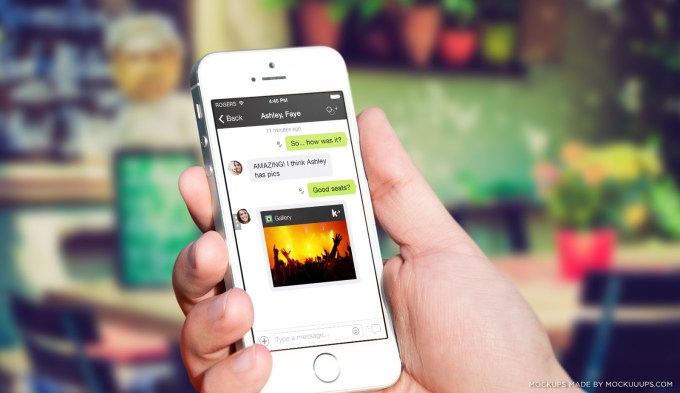
Fast forward four years and today the world is a very different place, with thousands of ways to message on a mobile phone. But when it comes to smartphone messengers, there are really only five messengers left in play: WhatsApp, WeChat, Line, Kakao and Kik. Yes, there are voice apps like Tango and Viber, as well photo apps like Instagram and Snapchat, but when it comes to that base utility of saying “Be there in five,” these are the ones that matter.

These five apps are quite similar, and only differentiate on one of three vectors: identity, region and platform.

Name and place 

For me, the first mobile messenger was BBM, but for most people it was SMS – and SMS worked well. It was mobile only and pre-installed on every phone. The key question for companies in the messaging space was: How do you take users away from SMS? The most obvious answer: make it free.

It’s easy for people in the U.S. to underestimate just how big a deal “free” is, because for most of us SMS is already free. Why would I use WhatsApp when I can just text? Because in most other countries around the world, texting is expensive.

That’s why WhatsApp was compelling: it was SMS, but it cost nothing. There was just one catch: your friends needed to be on WhatsApp, as well.

As a result, WhatsApp spread like crazy. In Asia, some companies reacted quickly and were able to compete. In China, Tencent launched WeChat; in Japan, Naver (actually a Korean company) launched Line; and Kakao sprung up as a startup in South Korea to launch KakaoTalk. For the most part, though, WhatsApp consumed the world. Except the U.S.

Aside from not being free, SMS has another problem: you can’t block people. For most people that’s okay. But there are times when you would like people who encounter you on Instagram, Tumblr, or SoundCloud to get in touch with you privately. Posting your phone number on such services is out of the question, because then you open yourself up to all sorts of spam and calls from weirdoes. Once that happens, the only way to stop the unwanted contact is to get a new number.

We chose to base Kik accounts on usernames, so you don’t have to hand out your phone number. As a result, we’re now seeing people share their Kik usernames to facilitate connections across a variety of services, including social apps, gaming apps and fitness apps.

The companies behind some of these other apps have seen all this activity and tried to build their own messaging right into the product. Take, for instance, Instagram Direct or Twitter’s Direct Messages. So far, those moves haven’t really worked out. People don’t want a messenger for each app they use – they want one messenger for all the apps they use.

Will consumers ever want more? 

I remember being at RIM when they had a simple, singular vision for Blackberry: email on your phone. That was it. And it worked for a while. BlackBerry grew faster than everyone else and became bigger than everyone else. When the iPhone came out, we all laughed.

“Look at how bad the battery is!”

“Look how slow the email is!”

“All those apps! Who even wants apps? They just get in the way of email.”

For a while, RIM was right. Smartphones were a big enough leap that consumers needed a simple value proposition like “email on your phone” in order to understand them. Soon, though, consumers came to understand email on your phone. Eventually, they would have a new question: “What else can I do on my phone?”

WhatsApp feels to be in a similar place right now. The company’s simple “SMS but free” proposition is lighting the world on fire, but at some point will consumers find that offering mundane? Will they start to ask: “What else can I do with SMS?” We’re about to find out.

Each of the four remaining messengers has a beachhead that WhatsApp can’t touch. Line has Japan. KakaoTalk has South Korea. WeChat has China. Kik has cross-app chat. So none of us are going away. But we each want more than that. We’re all hungry to win, hungry to find a way to take users away from WhatsApp. And each of us has settled on the same way to do it: by building a platform.

Platform: Simplicity with differentiation 

A platform lets you maintain simplicity for people who only want messaging, while providing for those who want a little something more. Do you just want to chat with your friends? Okay, just do that. Oh, you want to play a game with your friends? Sure, try this. Want to shop for shoes with your friends now? How about this…

Platforms let us maintain the simplicity of a core messenger while also creating differentiation. On Kik, you can chat with your friends, play Words with Friends, and listen to music with them too. On KakaoTalk, you can sell digital items. On Line, you’ll soon be able to create and sell your own stickers. Using WeChat in China, you can pay for taxis and coffees right from the app.

Once you add developers into the mix, an entirely new computing ecosystem will develop. Thanks to the enormous spread of smartphones and mobile Internet connections — we’re looking at 5 billion mobile phone users by 2017 — it’s an ecosystem that could surpass anything we’ve seen so far, including Windows and Facebook. This is where “messaging apps” are heading.

This platform play has long been the game plan for messengers like Kik whose platform is, uniquely, built in HTML5. We all started off as “SMS but free,” but that meme is fast becoming “SMS but more.” We’ve learned from BlackBerry taking too long to respond to the iPhone that, if the big shift does happen again, for WhatsApp it may well be too late.

Two key questions 

We always knew messaging would be a valuable space, but somehow a $19 billion acquisition has made that all the more real. From here on out, there are only two questions that matter.

  1. Will people ever want more from their messenger than just free SMS?
  2. What’s the best way to build a platform?

If the answer to the first question is “no,” then WhatsApp has likely already won.

If the answer to the first question is “yes,” then WhatsApp has likely already lost, and it will be up to the other four companies to fight it out.

Then you’re left with the second question, which is the more interesting, and more lucrative, one. WhatsApp doesn’t have an answer for question two, so the answer will have to come from somewhere else. For us at Kik, that’s the really exciting part. That’s the future of messaging.


Jumat, 21 Maret 2014

Sony’s Voice Balloon Photo app launching now – what’s next for voice recognition?

Sony Voice Balloon Photo

Sony has launched a new camera app with an interesting feature – while taking a photo, it listens to the world around you and automatically converts any recognized words into speech balloons within the image. The app is called Voice Balloon Photo and is available now for Sony’s Xperia devices running Android 4.4 KitKat.

Voice Balloon Photo is a fun little enhancement to Sony’s camera app offerings. Simply fire up Voice Balloon Photo and allow the app to recognize voices around you. Those voices will be converted into speech balloons on screen. Snap your photo and save the ambiance of a moment along with the image itself.

Voice Balloon Photo instructions

Voice Balloon Photo is free in the Google Play Store. The timing of the launch also works very well for Xperia users, as Sony just began pushing out the Android 4.4 KitKat update to a handful of devices, and promised even more for later this year. Take a look here to see if your Xperia device will be getting the KitKat update.

Sony Xperia Z Ultra vs Sony Xperia Z1 vs Sony Xperia Z1 compact z1 mini AA -4

We are inspired by Sony’s innovative use of voice recognition, but inserting chat bubbles into photos could be a tough market to crack. Although there are not many standalone apps that place text onto images, there are many popular full featured photo customization apps that include this feature that users have come to love. The most successful photo apps have plentiful and powerful photo filters and an attached social aspect that seem to have made the difference in terms of success. It is possible that Sony’s innovative take on voice recognition capabilities could set it apart from other photo apps, but we are more intrigued with the idea of continued growth for voice recognition itself.

android appsThe majority of apps and services that utilize voice recognition today do so as either simple text input into a text field, or as commands to navigate or trigger actions on the device – we love to search using “Okay, Google” from the Homescreen thanks to the Google Now Launcher. A few companies, like SlickLogin, are using audio input, if not voice commands, to control device authentication, but there are few apps that put voice recognition to work. What we want to see more of is services like Shazam, that can tell you what music or TV show you are listening to, or, indeed, Sony’s new Voice Balloon Photo, which captures in real-time the atmosphere around a photo.

We’re not sure what’s next for voice recognition, but we are excited to find out. What is the best use of voice recognition on a smartphone that you have used?

Like this post? Share it!