Diberdayakan oleh Blogger.
Tampilkan postingan dengan label Messaging. Tampilkan semua postingan

Senin, 28 April 2014

Messaging Is A Winner-Take-Some Market

Editor’s note: Anamitra Banerji is a partner at Foundation Capital where he focuses on investing in startups in the consumer and marketing technology sectors, including Kik, where he is an investor and sits on the board. He was the 30th employee and first product manager at Twitter, where he helped start Twitter Ads from scratch.

If you are anything like me, you use multiple messaging apps on a daily or weekly basis – and you use them for more than just texting. My colleagues, friends and family all prefer different apps, and I use each app in a different way. And even though some messengers are more dominant in specific geographies (e.g. Kakao in South Korea), I don’t think messaging is necessarily a winner-take-all market.

Yes, many believe that ultimately we will all latch on to one or two key messaging apps and that economies of scale will drive consolidation in this space. Facebook’s acquisition of WhatsApp is more a response to an existential threat than consolidating Facebook Messenger and WhatsApp*. 

Charles Hudson, venture partner at SoftTech VC, made a compelling case for why messaging is not a winner-take-all market, and it’s worth highlighting four points.

We use a different persona on each app

In the real world we behave one way in a meeting at the office and a different way at a bar with old friends. Each of our friend groups has different interests and inside jokes, and so we approach them with tailored messages. The content we produce on each app is different. Even our personas and the content we produce in different groups within the same app is sometimes different.

But Facebook has trained us to collapse our personality into one monolithic identity. That’s only 10 percent of the real you. The majority of the real you doesn’t have an outlet. That is where messengers (and other services) come into play. That is where the content you publish in each app reflects your persona for that app – the consummate professional on iMessage with co-workers and the jokester with college friends on Facebook Messenger.

We use multiple messengers because they reflect our diverse social circles, our various personas, and the variety of content we publish.

We use each app for a different friend circle

In other words, each messaging app represents a different circle of friends. You use the app your friends use. If you are a teen, or have friends or family in school, you use Kik. To chat with family overseas, you use WhatsApp. With co-workers you use iMessage. For Facebook friends you use Facebook Messenger. For Twitter followers you use DMs. Whenever there is overlap in these circles, the person responding uses whichever app the initiator used. No big deal.

If Google Circles got one thing right, it is that our friends aren’t in some uber social network. Instead, we consciously bucket them in different mental circles, and we communicate with them in different ways.

What Google got wrong, however, is that we don’t associate all our circles with any one company, and we don’t want to work too hard in categorizing friends into circles – it’s just too much work. But if circles were pre-created for us, we’d use them. That’s exactly what my friend groups do when they display a preference for a given app or apps: The different messenger apps are essentially my Google Circles – all facilitated by different companies, all created and maintained by my friends.

Cognitive dissonance in using multiple apps is low

Each desktop social network is distinct in its user experience, and getting started takes time. But most messaging apps have a basic texting feature that looks the same regardless of the app. It’s easy to enter text, pick a friend, and hit send. It works the same in all apps, so there is no learning time, no onboarding time, no cognitive dissonance. Further, access to the phone’s address book catalyzes all of this.

Just as it’s very easy to get started with a messaging app, it’s really easy to stop using an app or switch to another one. Since user loyalty is low – as soon as you stop receiving messages from your friends, you stop using the app. That’s why messengers are enticing users with services such as voice, video, games, content, and browsing.

Communication undergoes constant change and evolution

That is because new ways for humans to communicate are always evolving and will continue to evolve until we can perfectly mimic face-to-face conversations. For all the finger tapping on all the world’s smartphones, we are barely scratching the surface when it comes to visual communication.

The innovators and entrepreneurs out there with mobile messaging on their minds should know that there is plenty of room for new and better ideas, just as there is plenty of room for new and different paths to success.

*My cousin in India is planning a trip to the Mount Everest base camp. He will start his climb from Lukla, which is one of the trickiest airports to land at, with high winds and rain, further complicated by a small runway on the edge of a cliff. On his phone, he showed me a video of what it’s like to land a plane there. He then scrolled through some of the other posts, images, videos and jokes from friends. It took me a minute or two to realize that I wasn’t browsing his Facebook news feed but rather going through his WhatsApp. For my cousin and his friends WhatsApp IS Facebook.

Jumat, 25 April 2014

Try Offline Messaging On Mobile With Firechat

Chat applications are a dime a dozen, covering almost any conceivable niche you could think off. But so far there hasn’t been a chat app that focuses on local, "off-the-grid" communication. Such an application would let you chat with nearby people at sports events, concerts and the like without exposing your identity and without needing to be on the same Wi-Fi network. Firechat is here to fill that gap.

Firechat

Firechat is an offline and anonymous chat application that runs on both Android and iOS. Firechat is built on the developers’ own mesh network technology (as well as iOS 7′s Multipeer Connectivity Framework), letting you chat with nearby users without needing an Internet connection of any sort.

Firechat is available for both Android and iOS. Note that Firechat requires iOS7 and above, and should work without any issues on most Android devices less than 2 years old. We’ll be looking at the Android version in this article, but the two versions are almost identical in terms of interface.

Getting started With Firechat

Once you’ve downloaded the app and installed it, just sign in by providing your preferred username. No extra information is needed.

Sign In

Firechat Features

Firechat has two different chat modes, accessible from the main interface.

"Everyone" is a global chat mode that lets you chat with up to 80 randomly selected users from the same country, and requires an Internet connection.

"Nearby" is the local, off-the-grid messaging option. The range for off-the-grid messaging differs according to platform: 30 feet for Android and 100 feet for iOS. However, the Android version supports Open Garden’s multi-hop mesh network, so the range will increase with the number of users using the app (this feature will come soon for the iOS version).

Messaging

Like most messaging apps, you can send both images and text to other users (although it looks like the Android version doesn’t have support for sending images just yet).

There’s also a Settings screen accessible from the upper right corner of the interface in the Android version. You can change your display name, choose whether you get notifications for Nearby Messages, and Tell a Friend, which opens up the standard Android Share with friends menu. The Share option on the chat screen does the same thing.

Settings And Sharing

Limitations

One thing to bear in mind is that the two versions are not (yet) compatible in offline mode. However, the developers are confident that they will be able to bring inter-platform messaging to Firechat eventually.

Firechat is a somewhat barebones chat application, but the novel focus on local, off-the-grid messaging should make it popular for a certain subset of users, particularly those looking to communicate with fellow attendees at sporting events, concerts and the like.

The big thing with Firechat, though, is the potential it shows. After all, if Google’s interest is anything to go by, mesh networks might just be the thing of the future.


View the Original article

Kamis, 24 April 2014

Hide Read Receipts in WhatsApp to Keep Your Messaging Habits Private

Hide Read Receipts in WhatsApp to Keep Your Messaging Habits Private

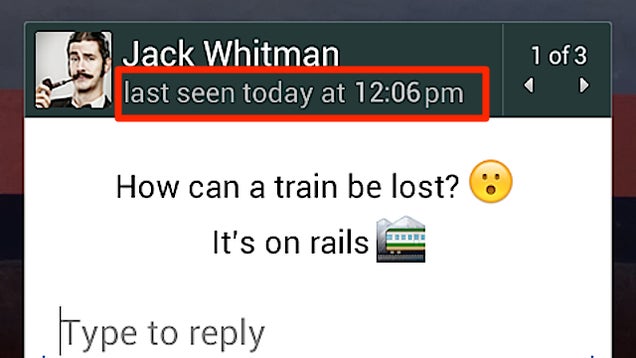
Like a lot of text messaging clients, WhatsApp shows when a recipient views a text. That's a little intrusive (not to mention annoying), but if you want to disable those last seen messages, it's incredibly easy.

On iOS and Android, things are as simple as heading into the app and tapping Settings > Account > Privacy > Last Seen, then change it to "Nobody." You can also use a third party app plugin like Last Not Seen on Android to hide that timestamp so people don't know when you're reading their messages.

Keep People From Knowing When You Read Their WhatsApp Messages | Wired


View the Original article

Sabtu, 19 April 2014

TapTalk Is A New Video Messaging App That Adds Location

My TechCrunch colleague Natasha Lomas recently argued – quite convincingly – that startups should stop trying to make proximity-based social networking “happen” — that most attempts had failed, and even ongoing ventures like Foursquare have had to tone down the idea. And yet these apps still keep appearing. And who can blame them — we might as well do something social with that GPS chip.

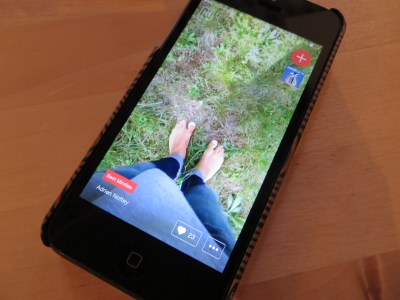
TapTalk is a new iOS and Android app to send friends a photo or video, but it’s way more interesting and fun than that might initially sound.

After connecting via Facebook, the app lets you tap the image of a friend to take a picture – in itself an innovative new kind of UI. But hold their picture down, and you record a short video of a few seconds. Using the front-facing camera you can send a selfie or, as is often the case, a short video message to your friend. Click on the bottom half of the camera field and you can type in a short message.

Talking a cue from SnapChat, any photo of video you send can’t be retrieved after you’ve seen it. You also can’t pre-take a photo and upload it. Everything you send to others is unique.

Because the app displays both the photo/and a map of where you are — in the case of sending a video — this means the app is turning into a sort of video Walkie-Talkie.

TapTalk has been created but the same Berlin-based team that brought us Ding Dong – which does something similar, but is built more around location.

TapTalk is not really a photo app. In fact all this suggests that TapTalk is using location as a feature, not as the focus. If that’s the case it should get some kind of traction. If not, it’ll be yet another app trying to make proximity-based social networking happen, when – unless people use it for sex (Tinder, Grindr) – it probably won’t.

Jumat, 18 April 2014

What's the Deal with All These Messaging Apps?

What's the Deal with All These Messaging Apps?S

Dear Lifehacker,
I've been hearing a ton about different messaging apps these days, but I don't understand why I should care. One search shows WhatsApp, Viber, iMessages, Snapchat, Kik, Facebook Messenger, and dozens more. I already have text messaging. Why do I need these other apps?

Sincerely,
What's App

Dear WA,
It seems like every day we're reading about a new messaging app. It's pretty difficult to tell the difference between them, but they can be useful for specific situations. Let's start by focusing in on what exactly the appeal of messaging apps is, then move on to picking the right one for your uses.

The Appeal of Messaging Apps

What's the Deal with All These Messaging Apps?

A messaging app is a pretty straightforward concept: they replace text messaging, which works okay, but frankly isn't all that great. Messaging apps aren't just for teens, ne'er-do-wells, and sexting. They're especially useful for anyone who doesn't want to pay for texting (or is communicating across country borders).

Chances are, if you have a smartphone, you've already encountered a messaging app. If you're on Android, Google Hangouts is the default for messaging with other Android (and Google) users. If you're on the iPhone, the Messages app has texting and iMessage (non-SMS messages between iOS devices) built-in. If you want a simple way to communicate with people between different devices, third-party messaging client make things easy. That's where apps like WhatsApp or Snapchat comes in.

The appeal of these apps depends on the user. For some, it's a way to get around SMS fees. This is especially the case if you're communicating (or just travelling) internationally. For others, it's a way to keep conversations private. Other apps let you set your status to tell friends you're busy. All these make SMS more interesting by adding features, but which features you want depends on your needs.

For Replacing Text Messaging: WhatsApp

What's the Deal with All These Messaging Apps?

The popularity of messaging apps changes depending on the country, but WhatsApp is one of the most popular in the world. WhatsApp's pitch is pretty simple: it looks like any old text messaging app, but you can create group chats, send photos, videos, voice messages, and share your location using your data plan and not your SMS plan. What's also nice is that WhatsApp is available on iOS, Android,BlackBerry, Nokia S40, Symbian, and Windows Phone, so all your friends can use it.

From just a feature stance, WhatsApp has pretty much everything you'll ever need in a messaging client and more. It saves history, holds messages when you're offline, allows for custom notification sounds, lets you set your availability, and more. It also integrates with your phone number, so you don't need to worry about setting up a new account on a service you don't want to use.

WhatsApp is popular for international messaging since you can do it over Wi-Fi without fees. It's also handy when you have a group of friends who don't use the same devices. As any Android user can attest, getting looped into an iMessage group message by a bunch of iPhone users is one of the most obnoxious things that can happen. WhatsApp makes sure everyone is on the same page. There's no shortage of messaging apps out there, but WhatsApp has the benefit of being both popular (so its easier to get your friends to use it), and being feature-packed so everyone's happy with the experience.

That said, if the recent Facebook acquisition of WhatsApp troubles you, you have a ton of alternatives to choose from. They all work essentially the same, except for a few features here and there. Chances are you'll be fine with whichever alternative you and your friends choose.

Alternatives: Viber, Line, Facebook Messenger, Kakao, Kik Messenger, Google Hangouts

For the Picture Lovers: Snapchat

Snapchat's main pitch is pretty simple: you can send self-destructing pictures and videos to each other. It's no secret that Snapchat is often associated with sexting. While we don't recommend using it to sext (if it can be seen, it can be copied), it's actually become popular with the non-sexting crowd too.

From a purely theoretical standpoint, Snapchat is just a good way to send pictures to a friend. Things like, "how's this tie look?" or "look at this crazy squirrel eating oatmeal on the freeway," are just as viable as "here I am in my underwear." After all, not every single picture message you send someone needs to be saved forever.

Snapchat sticks to its guns and doesn't do much more than pictures and video. That said, despite the fact that it's not a secure way to sext, it is a good way to send pictures you don't want cluttering up your storage space.

Alternatives: Instagram Direct, Clipchat

For Local Chat: FireChat

What's the Deal with All These Messaging Apps?

FireChat is one of the more interesting messaging apps currently available because it uses a completely different kind of technology than the rest. Basically, FireChat lets you chat anonymously with local users over Wi-Fi or Bluetooth. You need to be within about 100 yards of each other and on the same local Wi-Fi network for it to work. Users can chain together to create a larger network if they're all in the same area. It's conceptually like peer-to-peer sharing. The tech's a little complicated, but you can read more about how it works here.

FireChat doesn't need an internet connection, but it does require that you're close to each other. It's also pretty simple, you can send text messages and pictures, but that's about it. If you want to anonymously chat in a place that doesn't have a strong internet connection or a local area like a dorm, trade show, or sports game, FireChat makes it incredibly easy to do so.

The FireChat network is as big as the people using it, so it could be helpful during disasters where cell service is down.

Alternatives: None (yet)

For the Productivity Geek: Emu

Emu is an iOS (Android coming soon) messaging app built for productivity geeks. On the surface, it's a pretty straightforward messaging app. On top of that it also includes ways to schedule your day, share your location, and has an internal reminders system.

Emu works somewhat like a "WhatsApp for grown-ups." It has a lot of the same features (location sharing, voice messages, texting), but adds in organization functions. For example, you can snooze messages for later and remind yourself to reply when you have the time. Emu also integrates with a calendar so you can book appointments right in the app. You can even book a table through OpenTable or grab movie showtimes.

Since Emu is iPhone-only at the moment, it's a little difficult for everyone to use it, but the productivity integration makes it more useful for people who are trying to get business done through a messaging app.

Alternatives: Glassboard

For the Security Minded: Surespot

With all the NSA spying going on, a lot of people are looking for a more secure way to communicate. You probably can't keep your messages out of the NSA's hands just by using another app, but you can keep your messages out of the hands of hackers. If you're looking for a more secure, encrypted way to communicate, we like Surespot.

Surespot checks all the security boxes that it can while still being user-friendly and functional on a mobile device. It's not associated with your phone number or email, it allows for multiple identities, it's open source, and it includes 256 bit AES-GCM encryption. Basically, all that means you can create an anonymous profile and chat with people securely without too much hassle. As with anything, if someone really wanted to get into your messages, they could, but Surespot makes it pretty tough.

Other than encryption, Surespot's a pretty simple messaging app. You can send pictures, text, and audio in chats. You can also set how long an image or video is visible for, or revoke access to an image if you choose. They can always take a screenshot of course, but it's better than nothing.

Alternatives: ChatSecure, Cryptocat (iOS), Wickr

For People Interested in Dating: Tinder

Tinder is a dating app that searches for people near you and connects you to them if you're both interested. You create a profile, then Tinder scans your local area looking for people with similar tastes. When you find someone you like, you mark their profile. If they like you back, you can start chatting and meet in person. Think of it like a high-tech version of passing a "Do You like me? Check this box" note in grade school.

Tinder is often billed as a "hookup" app, and that may be how its used most often, but the core of the service is technically about messaging. You send out your picture into the world, then if you somehow manage to find someone you like and who also likes you, you can chat. Once you're in the actual messaging part, Tinder doesn't go beyond sending basic text.

Tinder, and other apps like it, are essentially messaging apps, but their main goal is to connect you with people in real life. If that's your thing, Tinder's the most popular solution.

Alternatives: Let's Date, Grouper, Hinge, Grindr

The One Big Downside of Alternative Messaging Apps

Now, you've probably realized that there's one big problem with these apps: like a social network, each app is only as useful as the people using it. None of these apps can communicate outside of the app or between different apps. So if you want to use WhatsApp but none of your friends are using it...you can't really do much with it. You pretty much have to go with what your friends use (except for Tinder, maybe, unless you like awkward glances).

Text messaging is still the most universal way to message back and forth, which is probably why you haven't felt the need to pick one of these up. Still, if your friends use one of them, that app might be worth picking up.

Messaging apps aren't for everyone, and if you're not an avid texter, your friends aren't using any of these services, or you're not worried about text messaging fees, none of the messaging apps are really useful. But if any of those things do spark your interest, they're worth investing a little time in to pick one you like.

Sincerely,
Lifehacker

Photo by: Danny Choo.

RelatedRelatedRelatedRelatedRelated


View the Original article

Kamis, 17 April 2014

Facebook app to ditch messaging; Messenger to take on exclusive role

facebook-removes-mobile-app-messaging-messenger-now-required-0206

Like a module on a rocket ship, the Facebook Messenger app will soon detach from its mothership, the main Facebook app. As a result, messaging will no longer be possible in the Facebook app, and all messaging will be exclusively handled by the standalone Messenger.

Because of the change, users will eventually have to install the Messenger app if they want to continue swapping messages with Facebook friends.

Happening in two weeks

Currently, users can send and receive messages in both the main Facebook app itself and the standalone Messenger app. But, that will change in two weeks. The Verge reports that Facebook has been notifying users in some European countries of the eventual split.

A spokesperson from Facebook confirmed the move and told The Verge that the split is not a test and that it will be implemented worldwide.

Better app performance

On the downside, the separation means that Facebook users will soon be needing two separate apps, but on the upside, the split could enable Facebook to implement new features (e.g., free calling) or improve existing ones.

Aside from that, it can be an opportunity for app developers to optimize and streamline the main Facebook app, as well as the separate Messenger app, resulting in speed increase, lower memory usage, and leaner file size.

The spokesperson told The Verge, “Once the whole process is complete, we expect the core apps to be faster.”

Worldwide split, but not in all devices

While the split will be global, it will not be universal among devices. Low-end devices, which presumably will also have limited memory, are exempted from the split.

Tablet users and Windows Phone users will still be able to send and receive messages inside the main Facebook app. The messaging function will also remain — for now — in Facebook’s newly released news app, Paper (iOS only for now), although probably not for long.

Do you use the Facebook Messenger app for messaging?  Or do you still use the internal messaging feature in the main app?  What do you think of Facebook’s plan to completely strip the main app of its messaging functions and hand them over to the Messenger app?  Share your thoughts in the comments section.

Selasa, 15 April 2014

Mindie Adds Direct Video Messaging

Music video app Mindie has released version 2.0 of its app in the App Store, which adds a number of new features including a private messaging feature. This new use case looks and feels more like Snapchat than Vine’s new direct messaging feature. Other features include the ability to add text on your videos, share on Instagram and more.

At heart, Mindie remains a music video sharing app. When you record a Mindie, you first pick a song. Then, you shoot a few seconds of video like you would in Vine, and share it on Mindie, Facebook, Twitter and Instagram.

This video format is what makes Mindie unique. “It’s very complicated to shoot an interesting video, but if you put music on an awful video, it will make it interesting,” co-founder and CEO GrĂ©goire Henrion told me when he first presented me the app.

But now, the main difference is that you can send videos to a person in particular. He or she will get a notification — and you don’t have to publicly share your video at all.

In some ways, the overall posting experience is very reminiscent of Snapchat, except instead of taking a picture, you shoot a music video. But after that, you can add text directly on the video, like you would in Snapchat. You hit the next button, select your recipients and hit the send button.

At the top of the recipient list, you will find a “Public” option, which used to be Mindie’s default option. if you select that, it will push your video to your followers in the main feed. You will see a final step to let you share on Facebook, Twitter and now Instagram.

Unlike Vine’s messaging features, you can’t mix videos and text messages. It’s all video. You won’t even get a threaded conversation. When you receive a video, it appears in your notifications. Like in Snapchat, you hold your finger on the screen to watch. The video will loop indefinitely until you remove your finger. Once you remove your finger, the video is gone.

In the previous update, Mindie added two other important features. You can choose your favorite part in the song for your video, and you can shoot in slow-motion on the iPhone 5s — slow-motion in particular is an interesting addition.

With today’s update, Mindie is covering a few more use cases. It’s interesting to see how Vine and Mindie’s approaches are different. Now, we will get to see whether video messaging is going to become a mainstream communication format.

Mindie 2.0

Mindie 2.0 - 3

Sabtu, 12 April 2014

Samsung updates ChatON with enhanced messaging features

Samsung-ChatON-icon

Given that Samsung shifts a ton of handsets each year, there’s a good chance that a few of you out there have used, or are currently using, Samsung’s cross-platform ChatON instant messaging software. Samsung has just updated ChatON to version 3.5, which packs in some interesting new features.

First up, version 3.5’s major change comes in the form of a bolstering to the system’s file sharing capabilities. Users can now share larger media files than before, up to 1GB in size. However, there is a limit on this, users can only upload five large videos each day, which is probably as much as most people’s bandwidth would allow for anyway.

The second big change is the ability to recall sent messages. If you’re a typo prone individual, or just can’t keep messages in the right conversation, then message recall will allow you to remove your regrettable messages, even if they’ve already been read by other users. The sender simply taps and holds the message bubble and selects ‘Recall’ to remove the offending text.

Samsung Chat on version 3-5

ChatON 3.5 also comes with a few other tweaks and features, including real-time location sharing, increased capacity for group chats, the upper limit has jumped from 200 to 1,001 persons, and improved message integration, which allows users to manage their ChatON and SMS/MMS messages from the same sender in a single chat.

Finally, Version 3.5 adds in a number of new language translations, including Arabic, Turkish, Farsi and Hindi, bringing the total number of languages supported by ChatON to 14. If you’d like to test out these features for yourself, you can grab the app from the Play Store for free.

Jumat, 11 April 2014

Vine for Android gets an update, introduces private video messaging

vine-message

Vine is already a great way to share short video clips with the world, but a new app update is about to make the experience even better by introducing Vine messages.

The Vine Messages system is a new communication feature that allows you to sent direct Vine video messages to anyone, even those that aren’t part of the Vine community. To send Vines to non-members, you can use their email address or send them via SMS.

Aside from allowing you to share videos with the new messaging system, you can also start a conversation around it and friends can respond directly to the video message and add comments of their own. This allows for much deeper conversations than the one line comment system used on public videos.

While the Vine messaging system is the biggest change heading to the new update, the change-log also mentions that you can now customize your profile with colors. There’s several bug fixes and performance improvements promised as well.

To grab the latest version of Vine you’ll want to head on over to Google Play. For those that have already tried the new Vine Messages feature, what do you think so far?

Selasa, 25 Maret 2014

After WhatsApp: An Insider’s View On What’s Next In Messaging

messaging2Editor’s note: Ted Livingston is the Founder and CEO of Kik, a mobile-first company with over 120 million registered users all over the world. Ted started working in mobile in 2007, while he was still studying at the University of Waterloo.
I was driving to a meeting in San Francisco when I got the message: “Facebook to buy WhatsApp for $19 billion.” I pulled over and watched as messages started to stream in. Everyone had the same question: Is Facebook crazy? As the CEO of the only smartphone messenger more popular than WhatsApp in the U.S., I gave them all the same answer: “No.” In fact, we had expected something like this for quite some time. And as we’ve now seen with Tango’s $280 million round, led by China’s Alibaba Group, interest in this space clearly isn’t going away anytime soon.

Messaging is a complex topic. It’s also one of the most misunderstood sectors in tech today. What’s the difference between WhatsApp and GChat? Why not just use SMS? Why did Facebook need to buy another messaging app just three years after it had bought Beluga? At the same time, however, messaging promises to be one of the highest-stakes battles in mobile, similar to what search was to the web or what productivity software was to the PC.

So what does messaging mean to mobile?

It’s a question we at Kik have been thinking about for a long time. In fact, given that we launched in 2010, we’ve probably been thinking about it more than almost anyone else. Now, thanks to Mark Zuckerberg’s latest purchase, the question seems to be on everyone’s mind. So I thought I’d share with you what I’ve learned over the years. Grab a coffee, because this might take some time.

Advent of the mobile messenger 

This story begins in 2007, when I was working at BlackBerry as one of more than a thousand interns hired each term. The iPhone hadn’t launched yet, and data plans were so expensive that only Wall Street bankers could afford them. At RIM, however, we were all given BlackBerrys with full data plans. We used BBM like crazy. Thanks to MSN Messenger, we were already used to instant messaging – but somehow this was different. It was more immediate, more intimate.

With MSN, you’d always get people who would turn off their computers or leave them at their desks. But now the computer was always with you, always on, and always connected. For the first time, there was no such thing as offline.

Apps such as MSN, Facebook Messenger, and Skype have added mobile access over the years, but their desktop legacies live on: The “offline” setting is always a looming option. With WhatsApp, Kik or even SMS, on the other hand, the messaging communities are tied to the phones. By default, then, there is no such thing as offline – there’s only online, all the time.

So if you’re running five minutes late to meet your friend for coffee, you don’t send them a GChat or a message through Skype. You send them a text. Why? Because you want to maximize the chance they get your message. Only a mobile-only community guarantees everyone will be online, all the time.

If BBM was the first mobile messenger, WhatsApp was the second. It was 2009 and I had just left RIM to build a “Spotify for BlackBerry.” We planned to plug it into BBM to facilitate sharing. But towards the end of 2009, we realized the iPhone was actually going to be a thing, and that our music app needed to be on both BlackBerry and iPhone.

At about the same time, WhatsApp took off. It was basically BBM for iPhone users. Then it turned out they were planning to launch on BlackBerry as well. It was a killer idea. We went to RIM and asked them to launch BBM on iPhone. Not only did we need it for our music app, but we also thought it was the only way to compete with WhatsApp. RIM, however, needed BBM to sell BlackBerrys and chose not to take it cross-platform. We decided to take matters into our own hands and launch our own cross-platform messenger.

Fast forward four years and today the world is a very different place, with thousands of ways to message on a mobile phone. But when it comes to smartphone messengers, there are really only five messengers left in play: WhatsApp, WeChat, Line, Kakao and Kik. Yes, there are voice apps like Tango and Viber, as well photo apps like Instagram and Snapchat, but when it comes to that base utility of saying “Be there in five,” these are the ones that matter.

These five apps are quite similar, and only differentiate on one of three vectors: identity, region and platform.

Name and place 

For me, the first mobile messenger was BBM, but for most people it was SMS – and SMS worked well. It was mobile only and pre-installed on every phone. The key question for companies in the messaging space was: How do you take users away from SMS? The most obvious answer: make it free.

It’s easy for people in the U.S. to underestimate just how big a deal “free” is, because for most of us SMS is already free. Why would I use WhatsApp when I can just text? Because in most other countries around the world, texting is expensive.

That’s why WhatsApp was compelling: it was SMS, but it cost nothing. There was just one catch: your friends needed to be on WhatsApp, as well.

As a result, WhatsApp spread like crazy. In Asia, some companies reacted quickly and were able to compete. In China, Tencent launched WeChat; in Japan, Naver (actually a Korean company) launched Line; and Kakao sprung up as a startup in South Korea to launch KakaoTalk. For the most part, though, WhatsApp consumed the world. Except the U.S.

Aside from not being free, SMS has another problem: you can’t block people. For most people that’s okay. But there are times when you would like people who encounter you on Instagram, Tumblr, or SoundCloud to get in touch with you privately. Posting your phone number on such services is out of the question, because then you open yourself up to all sorts of spam and calls from weirdoes. Once that happens, the only way to stop the unwanted contact is to get a new number.

We chose to base Kik accounts on usernames, so you don’t have to hand out your phone number. As a result, we’re now seeing people share their Kik usernames to facilitate connections across a variety of services, including social apps, gaming apps and fitness apps.

The companies behind some of these other apps have seen all this activity and tried to build their own messaging right into the product. Take, for instance, Instagram Direct or Twitter’s Direct Messages. So far, those moves haven’t really worked out. People don’t want a messenger for each app they use – they want one messenger for all the apps they use.

Will consumers ever want more? 

I remember being at RIM when they had a simple, singular vision for Blackberry: email on your phone. That was it. And it worked for a while. BlackBerry grew faster than everyone else and became bigger than everyone else. When the iPhone came out, we all laughed.

“Look at how bad the battery is!”

“Look how slow the email is!”

“All those apps! Who even wants apps? They just get in the way of email.”

For a while, RIM was right. Smartphones were a big enough leap that consumers needed a simple value proposition like “email on your phone” in order to understand them. Soon, though, consumers came to understand email on your phone. Eventually, they would have a new question: “What else can I do on my phone?”

WhatsApp feels to be in a similar place right now. The company’s simple “SMS but free” proposition is lighting the world on fire, but at some point will consumers find that offering mundane? Will they start to ask: “What else can I do with SMS?” We’re about to find out.

Each of the four remaining messengers has a beachhead that WhatsApp can’t touch. Line has Japan. KakaoTalk has South Korea. WeChat has China. Kik has cross-app chat. So none of us are going away. But we each want more than that. We’re all hungry to win, hungry to find a way to take users away from WhatsApp. And each of us has settled on the same way to do it: by building a platform.

Platform: Simplicity with differentiation 

A platform lets you maintain simplicity for people who only want messaging, while providing for those who want a little something more. Do you just want to chat with your friends? Okay, just do that. Oh, you want to play a game with your friends? Sure, try this. Want to shop for shoes with your friends now? How about this…

Platforms let us maintain the simplicity of a core messenger while also creating differentiation. On Kik, you can chat with your friends, play Words with Friends, and listen to music with them too. On KakaoTalk, you can sell digital items. On Line, you’ll soon be able to create and sell your own stickers. Using WeChat in China, you can pay for taxis and coffees right from the app.

Once you add developers into the mix, an entirely new computing ecosystem will develop. Thanks to the enormous spread of smartphones and mobile Internet connections — we’re looking at 5 billion mobile phone users by 2017 — it’s an ecosystem that could surpass anything we’ve seen so far, including Windows and Facebook. This is where “messaging apps” are heading.

This platform play has long been the game plan for messengers like Kik whose platform is, uniquely, built in HTML5. We all started off as “SMS but free,” but that meme is fast becoming “SMS but more.” We’ve learned from BlackBerry taking too long to respond to the iPhone that, if the big shift does happen again, for WhatsApp it may well be too late.

Two key questions 

We always knew messaging would be a valuable space, but somehow a $19 billion acquisition has made that all the more real. From here on out, there are only two questions that matter.

  1. Will people ever want more from their messenger than just free SMS?
  2. What’s the best way to build a platform?

If the answer to the first question is “no,” then WhatsApp has likely already won.

If the answer to the first question is “yes,” then WhatsApp has likely already lost, and it will be up to the other four companies to fight it out.

Then you’re left with the second question, which is the more interesting, and more lucrative, one. WhatsApp doesn’t have an answer for question two, so the answer will have to come from somewhere else. For us at Kik, that’s the really exciting part. That’s the future of messaging.

Senin, 24 Maret 2014

Ask A VC: Javelin Venture Partners’ Alex Gurevich On The Enterprise Messaging Opportunity In Emerging Markets

In this week’s episode of Ask A VC Javelin Venture Partners’ Alex Gurevich stopped by the studio to talk about messaging, marketplaces and more.

Gurevich, who helped establish one of the first venture capital funds focused on high tech investments in Russia with DFJ Aurora, is particularly fascinated by the opportunity messaging has in the enterprise world, particularly in developing markets like Africa, India and others. As he explains in the video, he sees the next WhatsApp as being one that caters to the potential businesses.

Check out the video above for more.

Sabtu, 22 Maret 2014

LINE Messaging App Adds Cheap International Calling

LINE Messaging App Adds Cheap International CallingS

Android: While WhatsApp may be making headlines with its Facebook acquisition, LINE is nearly as popular with over 380m users worldwide. Now, the service has added cheap international calling to its service, making it that much more attractive.

As you'd expect, the rates differ depending on which country you plan to call, but they're all measured in the area of pennies per minute (with mobile calls to Japan, Peru, and the Philippines topping the charts). LINE also offers free messaging to any of its users. Perhaps most importantly (to some), it's not owned by Facebook, so if that's a concern for you with WhatsApp, LINE may be worth checking into.

"LINE Call" Android Version Released: Cheap Domestic and International Calls to Landlines and Mobile Phones | Line Corp. via MakeUseOf


View the Original article