





Diberdayakan oleh Blogger.
Tampilkan postingan dengan label Tasks. Tampilkan semua postingan

Kamis, 01 Mei 2014

10 Tasks You Should Never Put on the Back Burner

10 Tasks You Should Never Put on the Back BurnerS

When things get busy, we all have tasks we put off. Sometimes items end up delayed out of necessity. If you are putting off the right things, it can be a good move to reduce your workload. But if you procrastinate on the wrong tasks, you might be setting yourself up for trouble later. So, what tasks should you avoid putting on your back burner?

This post originally appeared on Time Management Ninja.

Putting Tasks Aside for Now

We all put tasks aside at some point. Sometimes it is for good reason when prioritizing your workload. For example, if the item is not a priority, then it should wait. Other times, we put things on the back burner merely because we are trying to avoid them.

Maybe it is something you don't want to do. Or something you think you are not ready for yet. In these situations, putting things on the back burner that shouldn't be there can lead to trouble down the road. Important tasks can be forgotten, chances missed, and bigger issues created.

"Putting off the wrong tasks can cause you to miss opportunities, incur penalties, or create more work for yourself."

In other words, putting them off will cause even more difficulties than if you had dealt with them in the first place.

On the Back Burner

Ask yourself, "What do I have on the back burner?" Putting things on the back burner is not always a bad thing. If the item is of lesser priority or is a task that you really shouldn't be doing, then it can be appropriate to put it off.

However, when it is an important task, the back burner is a bad place for it.

After all, being on the back burner leads to the task being out-of-sight, and out-of-mind. We tend to forget, ignore, or plain disregard the things we put off. For those reasons, there are some tasks that you should avoid relegating to the back burner.

Here are 10 Tasks You Should Never Put on the Back Burner:

  1. Tasks that Can't be Forgotten: Task that are out-of-sight don't get done. If it is important, don't put it on the back burner where it might be forgotten.
  2. Quick To-dos: Never put off what you can do immediately. Don't put off tasks that you can complete in just a few moments. If it can be done in the same amount of time as it takes to put it off, then get it done now!
  3. Safety Issues: Never put off safety issues. The item that you delay could end up hurting you or someone else. Always fix safety issues right away.
  4. Tasks That Must be Done Today: If it needs to be done today, then get it done early. The back burner should be reserved for things that don't have to be addressed today and can sit idle for an unspecified time.
  5. Opportunities That Will Pass: Have you ever put off a task that caused you to miss an opportunity? Never put off tasks that are time-sensitive or may expire. Many opportunities that come along have a limited shelf life. If you don't act on them, they might be gone when you return to them.
  6. Promises to Others: Promises to others should never go on the back burner. If you can't give it your priority at this time, then you shouldn't be promising it in the first place.
  7. Tasks That Will Create More Work: Some tasks are messier to clean up later. It doesn't even have to be a physical mess. Tasks undone can create more work for you when you attempt to resume them at a later date. Don't let these to-dos rot on the back burner.
  8. Tasks That Will Never Get Done: If there is a task that you never intend to do, then don't even bother putting it on your back burner. Instead, say "No" or delete it from your list. Otherwise, you'll be carrying the burden of tasks that you never intend to do anyway.
  9. Tasks with a Looming Deadline: Tasks with approaching deadlines should be front-and-center, not on the back burner. Otherwise, deadlines will be missed and deliverables will not be accomplished on time.
  10. Tasks with Financial Consequences: Have you ever incurred a monetary penalty (late fee, etc.) because you put something off? Don't let tasks with financial implications sit idle. They will end up costing you.

Don't Forget What's on the Back Burner

Which of your tasks are sitting idle on the back burner right now?

Take a moment to ensure you haven't forgotten anything that is simmering away. Something that is creating a bigger mess that you will have to clean-up later.

Always keep your most important tasks front-and-center where you can see and act on them now. Reserve the back burner for the low priority items that can afford to sit and wait.

10 Tasks You Should Never Put on the Back Burner | Time Management Ninja


Craig Jarrow is the author of Time Management Ninja. The mission of this site it to help individuals and companies reclaim their time. He writes about time management, productivity, and goal setting.

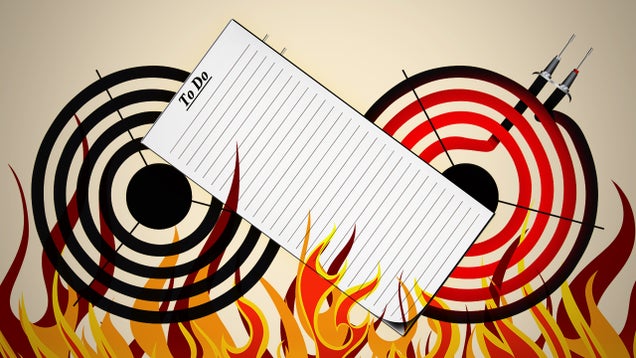
Image remixed from Constantine Pankin (Shutterstock), Pavel K (Shutterstock), and Sarah2 (Shutterstock).

Want to see your work on Lifehacker? Email Andy.


View the Original article

Selasa, 29 April 2014

Engage in Creative Tasks Outside Work to Boost Job Performance

Engage in Creative Tasks Outside Work to Boost Job PerformanceS

Creative work is not only best for bad moods, but doing creative activities outside of the office can boost your on-the-job performance, says a new study by psychologist Kevin Eschleman of San Francisco State University.

Writing in the Journal of Occupational and Organizational Psychology, the researchers say:

Creative pursuits away from work seem to have a direct effect on factors such as creative problem solving and helping others while on the job. It can be rare in research to find that what we do in our personal time is related to our behaviors in the workplace, and not just how we feel.

The creative tasks in the above study weren't restricted and employees were free to choose whatever they wanted that led to a sense of self-expression and self-discovery. This ranged from writing short stories to playing video games. Hit the link for the full study.

Creative activities outside work can improve job performance | EurekAlert


View the Original article

Sabtu, 22 Maret 2014

10 Free Apps To Help Automate Tasks On Your Android Device

One thing most people love about Android is the freedom to create that is open source identity affords us. Many developers have created stunning apps that can really push your Android device to do smart things, including automate menial and repetitive (but essential) tasks to make your life much, much easier.

AutomateIt Android App

Listed in this post are 10 Android apps that provide shortcuts, configurations, triggers and rules to let you get more out of your Android device. You can automate many things to happen on your device based on location or time triggers. On top of that, some of these apps let you record calls, or even touch events.

If you find setting up rules to be a pain, don’t worry, a couple of these apps even let you download rules setup by other fellow users.

1. SkipLock

If you think that having a lock screen is important but also annoying at times, Skiplock might be the best solution for you. Skiplock can automatically disable your lockscreen when it’s running on a particular WiFi network. This allows you to skip the lockscreen when you are running on your home WiFi network. To set it up, just manually add the WiFi networks you want to disable your lockscreen under.

SkipLock

2. App Cache Cleaner

Every app that you install slowly takes up more of your device’s internal memory. Most of your app data is cached by your device’s memory to ensure it loads faster in the future. In the long run, this ultimately slows down the performance of your device. App Cache Cleaner will clean your cache for you automatically. Enable this feature in the app settings where you can also set when the app can clean up your cache, from every 6 minutes (min) to every 7 days (max).

App Cache Cleaner

3. Velis Auto Brightness

If you think your device is a little too bright or too dim for your eyes in certain environments, you may want to try this app. Velis Auto Brightness not only uses the app to adjust your device’s brightness settings automatically based on light sensitivity to the surrounding environment, it also lets you control your brightness settings at every ambient level.

Velis Auto Brightness

4. Automated Device

There are some things that you do every single day, and there are times when you wish you can automate some of the things that you can do with your Android device. This app can let you do that. If, say, you carpool with a friend and want to let them know when to be ready for your arrival, you can automate the device to send your friend a text message when you reach a certain location. It takes a while to figure out what rules to input, but that is actually half of the fun in using this app.

Automated Device

5. Call Recorder

Did you know that you can now record your phone conversations using just an app? Try Call Recorder to automatically record phone conversations on your smartphone. You can then send your phone recordings to your email or to delete recordings that are not as important to save space in your phone. Alternatively, you can mark important recordings to prevent it from automatically being deleted. Note that recording phone calls may not be legal in some places.

Call Recorder

6. MacroDroid

MacroDroid allows you to create a custom macro to automate tasks on your Android device. You can use it to turn off bluetooth, silence your phone, disable data when you’re at the office, home or outside. You can even set it to read aloud incoming text messages for you or make a quick photo upload to your favourite social network by simply shaking your phone. There is also a template section where you can use ready-made macros instead of creating your own.

MacroDroid

7. Llama

With Llama, you can trigger an action on your device when you are at a designated location. It uses your cell tower to detect your smartphone’s location; it is not GPS-dependent. Trigger your bluetooth headset to connect with your phone when you are out for your morning run, or trigger your reminder to pick up groceries if you are near your favorite grocery store.

Llama

8. RepetiTouch

RepetitTouch lets you record your touch events (any touch input that happens on your device while it’s recording). You can then replay your touch events to do repetitive or complicated actions automatically for you. The free version of the app limits users to 10 mins of recording time, no loop mode and no multi-touch input. It also requires "root" access. The full version is available for $5.49.

RepetiTouch

9. AutomateIt

Create or download rules to automate your device to run certain tasks. Automateit lets you set triggers from the likes of activity recognition, time or location triggers which will show notification, launch homescreen etc. If you’re not good with setting rules, this app comes with a Rules Market where you can download and use rules setup by other AutomateIt users. The downloads will require points, which you can gain by creating rules, sharing rules on social networks, inviting friends to use the app or buying them.

AutomateIt

10. Atooma

If you’re familiar with IFTTT, Atooma will be real easy to use. It uses the conditional events via IF and DO. With that you can create your trigger and action rules. The interface is color-coordinated to make it easier to setup rules and triggers. Not big on setting up rules? Then download rules or draw inspiration from what other Atooma users have setup.

Atooma


View the Original article